
Your enquiry page is the most important page on your website. It’s the place where prospects reach out and express an interest in working with you (or buying a product). Yet too often, it’s overlooked. A form is added to a page with the basic fields, it sends an email when completed, and then you have to manually reply to everyone.
But we all get busy. We might delay in getting back to an enquiry. Hours and sometimes days pass, and meanwhile, the prospect is also looking at your competitors.
In addition to these delays, you might also lose track of whom you have replied to, and where they are in the sales pipeline.
These two issues can be solved by adding an element of automation, while retaining the human touch.
This includes using a CRM and integrating your contact form with the CRM, and then having a robust process for initial replies and keep tracking of leads.
I use ActiveCampaign as my CRM, and Fillout for my enquiry form (and other forms). I also use Airtable to manage a lot of my business, including clients and sprints.
In this guide, I’m going to walk you through how to do this with Fillout and ActiveCampaign so that no lead gets forgotten, and enquiries get timely replies.
I will mention Airtable where relevant, but the focus of this guide is on the ActiveCampaign and Fillout pieces of the puzzle.
Why Fillout + ActiveCampaign work so well Together
Fillout is a fast, flexible, form builder. ActiveCampaign is where your contacts live and where you send emails and track sales opportunities. Put them together, and you get:
- Automatic contact creation
- Automatic tagging
- Pipeline tracking
- Followup emails
- No more manual copy and pasting from form submissions
Once it’s set up, every enquiry lands exactly where it should. This is a rough outline of how the system works:
- A simple Fillout enquiry form
- Fillout sends every submission to ActiveCampaign
- A tag is added to the contact
- An initial confirmation email is sent to the contact
- A deal is created in a CRM pipeline
- An email to schedule an intro call is automatically sent at the right stage
In ActiveCampaign, a pipeline is a set of stages that a contact (such as a new lead) goes through during the sales process. The deal is a potential sale (or other revenue opportunity) that moves through the pipeline. A contact can have multiple deals in one or more pipelines.
Let’s walk through it step-by-step.
Step 1: Create your Fillout form
Fillout connects to multiple systems, including Airtable and ActiveCampaign. You can build forms using fields that already exist in an Airtable base. Because I’m pushing leads to both ActiveCampaign and Airtable, I have a table in Airtable for leads. So I use these fields to build my enquiry form.
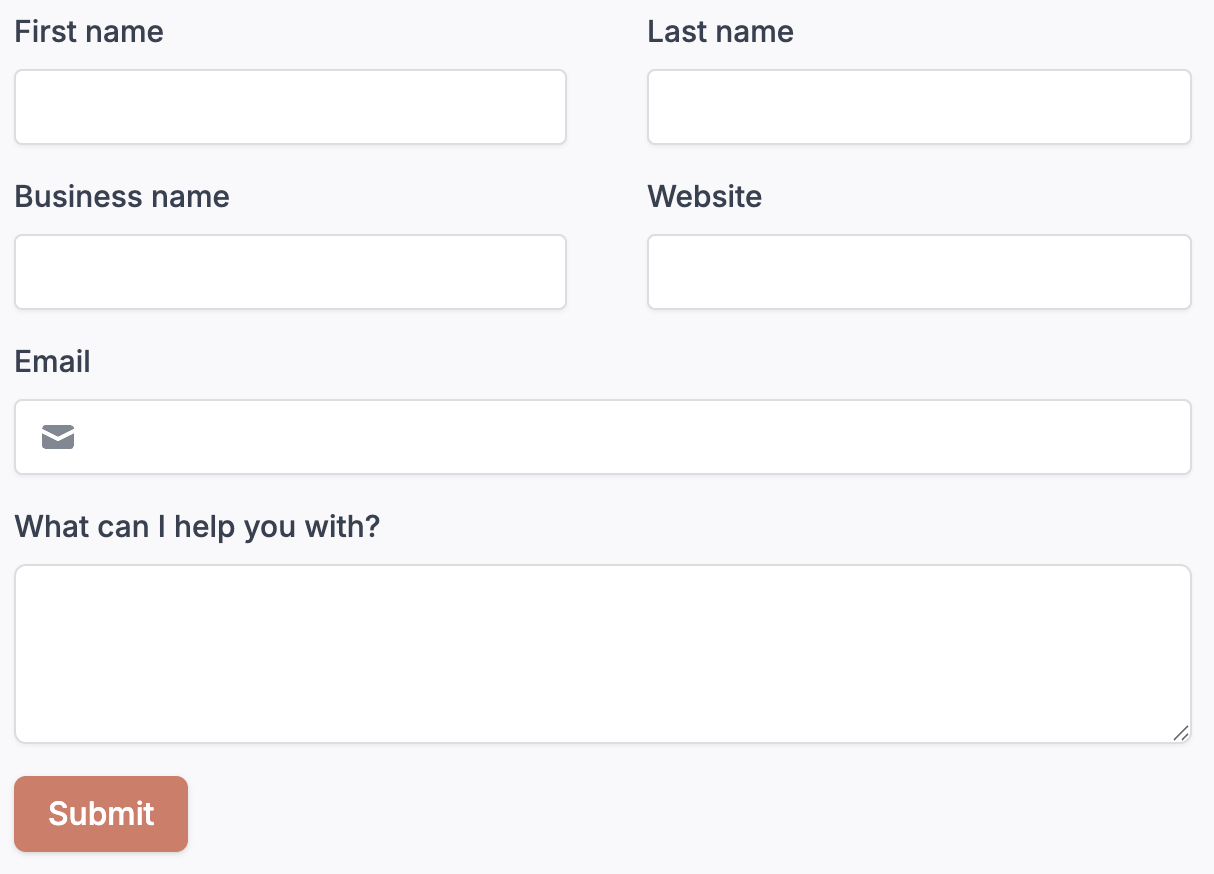
I’ve kept the enquiry form as simple as possible to reduce friction. It has the following fields:
- First name
- Last name
- Business name
- Website
- What can I help you with?
Step 2: Connect Fillout to ActiveCampaign & Airtable
With Fillout, you can sync form submissions to multiple apps that it supports. In my case, I’m pushing them to both ActiveCampaign and Airtable.
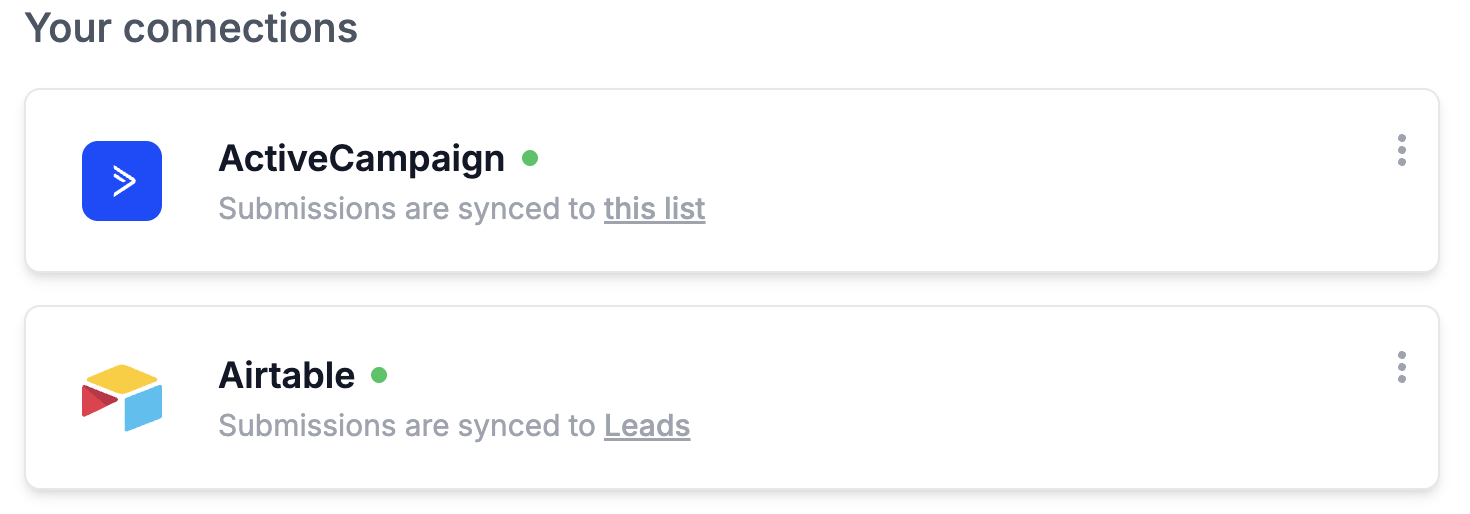
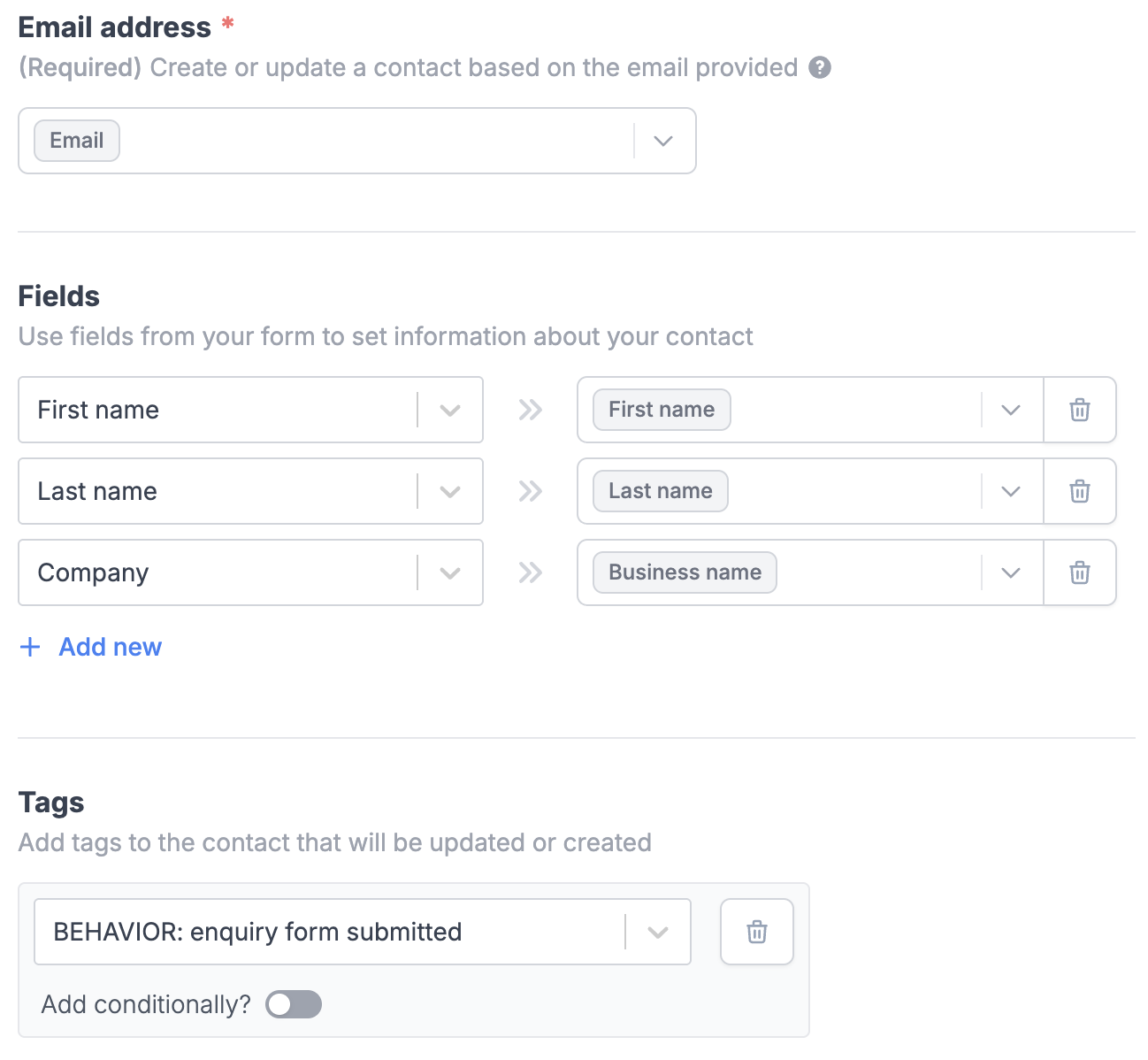
The ActiveCampaign integration syncs email, first name, last name and company to fields in ActiveCampaign and tags the contact with BEHAVIOR: enquiry form submitted.
Step 3: ActiveCampaign sends an initial email
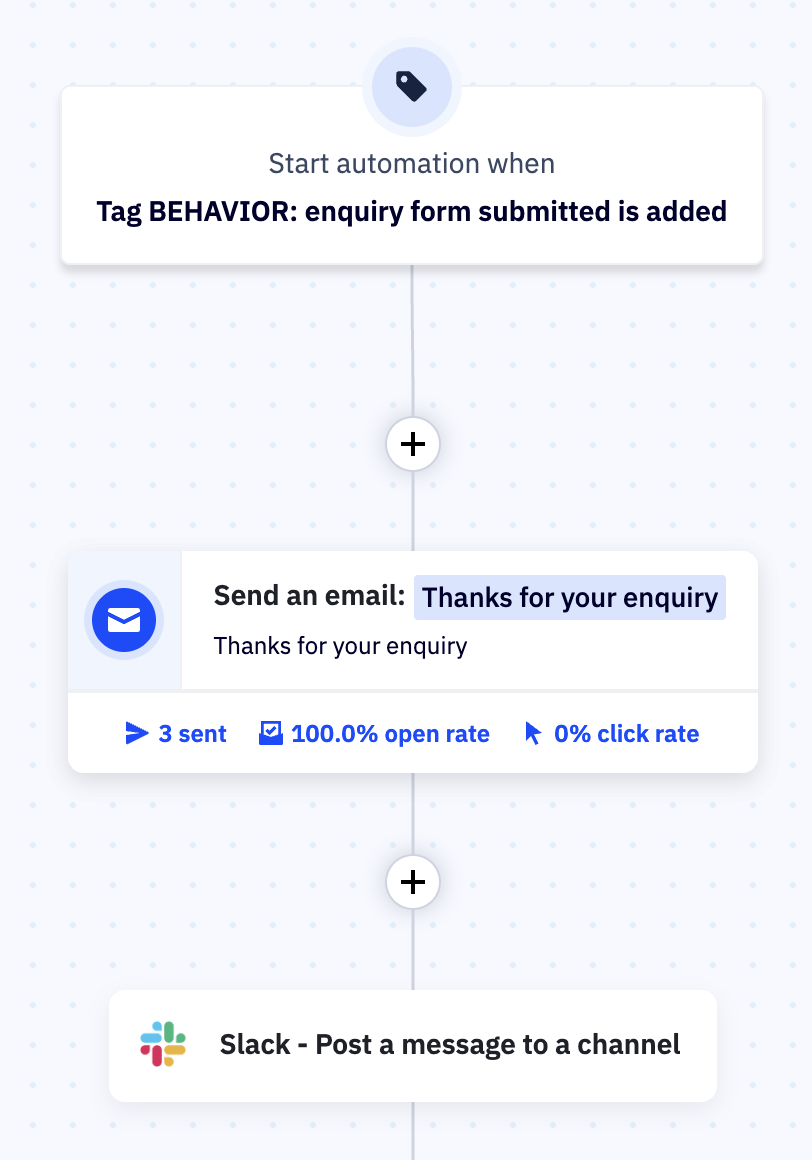
Once the form is connected, the lead will be coming to ActiveCampaign as a new contact, with the tag BEHAVIOR: enquiry form submitted.
An ActiveCampaign automation then kicks in, which immediately sends a confirmation email to the lead. This email thanks them and lets them know that we are reviewing the enquiry and will get back to them promptly.
It also sends a Slack message to our private channel, so we get an alert as soon as a new enquiry comes in.
Step 4: Create an ActiveCampaign Deal
We are using the Deals pipeline in ActiveCampaign to keep track of enquiries and leads, and to help with the follow-up. This gives you a visual “board” showing every open enquiry.
You should be able to create the deal in the ActiveCampaign automation above, but there appears to be a bug in doing that. So we are using Make for this currently. You could also use Zapier.

This is an overview of what is happening in this Make scenario:
- It’s triggered by a new enquiry form submission
- It waits for a few seconds to allow enough time for the contact to be created in ActiveCampaign via Fillout’s integration
- It looks for the contact in ActiveCampaign
- It creates a new deal
- It updates the lead record in Airtable
Note: you could opt to create the ActiveCampaign contact in this Make scenario instead of doing it directly in Fillout. This would give you the advantage of having it in one place.
Step 5: Deals pipeline
New deals arrive in the Inbox, ready for a human to review.
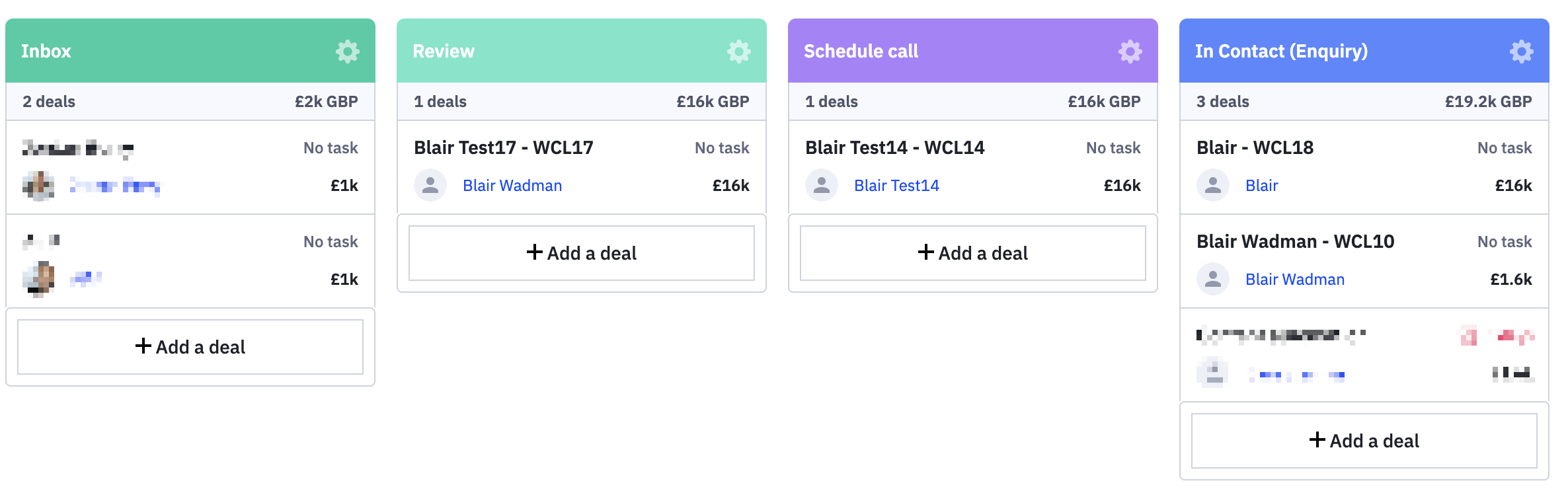
When a deal is ready to review, we drag it into the Review column. If we want to proceed with an intro call (the next stage in the process), then we drag the deal to the “Schedule call” stage.
Another ActiveCampaign automation will kick in to email the contact with a link to book the call.
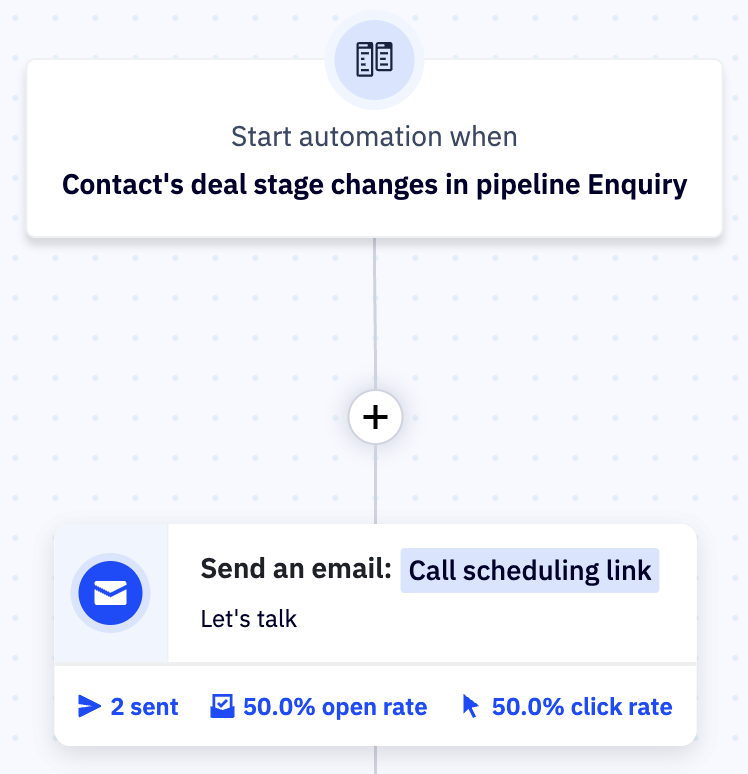
This automation is triggered by a change in the deal stage. It will trigger the automation when the deal is moved to the Schedule call stage.
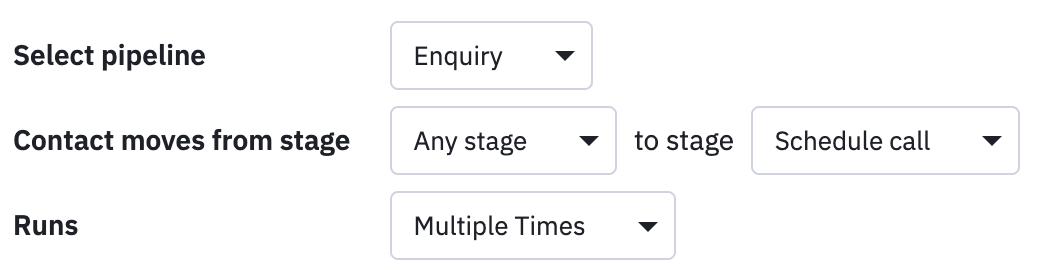
It is set to run multiple times because there could be cases where we need to schedule more than one call. So we can move the deal back to Review and into Schedule call again, and it will send another email to schedule the call.
Note: you could use Saved Responses to send the emails to schedule a call instead of an automation. This will give you more control over each email sent out.
Optional upgrades
With a solid foundation in a system like this, you can expand the system to:
- Add a dropdown like “What are you looking for?” and route enquiries to a different pipeline
- Add a follow-up sequence for people who didn’t reply or schedule a call
- Add lead scoring to quality leads
Note: You may want to filter your leads to only receive high quality enquiries, so including more detailed questions in your contact form and identifying a budget / spend estimate, may be a helpful way to filter out unwanted enquiries.
Wrapping up
With Fillout and ActiveCampaign working together, every new enquiry has a place to land, and we have a clear way to follow up.
This setup works for service businesses, membership organisations, workshops, events, and any situation where people need a simple way to get in touch.
If you are interested in having an enquiry system like this for your business, get in touch and we can chat.
Marketing Automation Weekly
Each week I share a behind the scenes look at the real automated marketing systems I build for marketing teams.
You’ll get practical insights and examples on streaming marketing operations, getting data into the right systems and freeing up your team to do more creative work with the help of automation and AI.